Enhance Your Web Design with Thesla Script Font
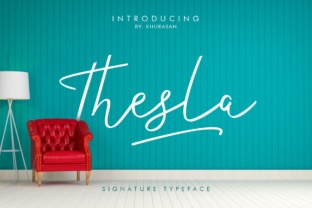
As a web designer, I recently embarked on a project to revamp the homepage of a boutique online store. The goal was to create a more polished and inviting user experience, and one of the key elements in achieving this was selecting the right font. After some exploration, I stumbled upon Thesla Script, a handmade, thin line font that caught my eye with its elegant and modern appeal.
First Impressions: Thesla Script in Action
I started by testing Thesla Script in the hero section of the homepage. The thin, flowing lines of the font added a touch of sophistication and creativity, perfectly aligning with the boutique's brand identity. The font's unique, handwritten style brought a personal and welcoming feel to the design, making it stand out from the typical sans serif fonts often used in e-commerce.
Visual Characteristics and Personality
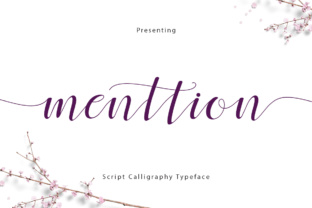
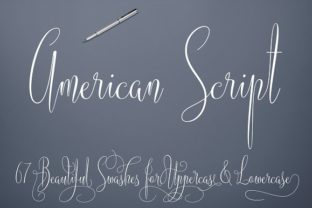
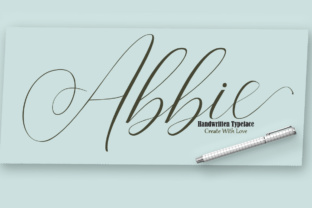
Thesla Script is characterized by its delicate, cursive-like strokes, which give it a light and airy appearance. This makes it ideal for creating a sense of elegance and refinement. The font's personality is both modern and classic, making it versatile enough to fit into various design contexts, from luxury brands to creative portfolios.
Using Thesla Script in Different Sections
Beyond the hero section, I experimented with Thesla Script in other parts of the website. In the product category headers, the font provided a clear and visually appealing way to distinguish different sections. For call-to-action buttons, I found that using Thesla Script for short, impactful phrases like "Shop Now" or "Learn More" added a touch of charm and urgency.
- Hero Titles: Perfect for capturing attention and setting the tone.
- Section Headings: Adds a refined and organized look to content sections.
- Buttons and Short Phrases: Enhances the visual impact and engagement.
- Logo Text and Decorative Accents: Ideal for adding a personal and creative touch.
Readability and Visual Hierarchy
While Thesla Script is visually stunning, it's important to consider readability, especially on mobile screens. I found that using the font for longer text can be challenging, so I reserved it for headlines and short, impactful statements. For body copy, I paired Thesla Script with a clean, simple sans serif font, ensuring that the overall design remained legible and user-friendly.
Font Pairing and Consistency
To maintain a balanced and cohesive design, I paired Thesla Script with Roboto, a popular sans serif font known for its clarity and versatility. This combination allowed the script font to shine in key areas while keeping the bulk of the content easy to read. The contrast between the two fonts also helped to establish a clear visual hierarchy, guiding users through the site effortlessly.
Practical Tips for Using Thesla Script
- Check Readability: Test the font on different backgrounds and screen sizes to ensure it remains legible.
- Use Sparingly: Apply Thesla Script for headlines, logos, and short, impactful text to avoid overwhelming the design.
- Font Pairing: Combine with a clean, simple sans serif or serif font for body text to enhance readability and balance.
- Responsive Layouts: Ensure the font scales well on mobile and tablet devices to maintain a consistent user experience.
Final Considerations for Web Designers
Before incorporating Thesla Script into your web projects, it's essential to check the included styles, webfont availability, and file formats. Additionally, verify if the font supports multiple languages and has the necessary commercial licensing for use in client projects, online stores, and digital templates. These steps will help you leverage the full potential of Thesla Script while ensuring a seamless and professional design experience.
In conclusion, Thesla Script is a fantastic choice for adding a touch of elegance and creativity to your web designs. Whether you're working on a boutique online store, a coaching website, or a creative portfolio, this font can significantly enhance the visual appeal and user engagement of your digital projects. Happy designing!